
Motionleap by Lightricks
Lightricks Ltd.Photography
4.010.07K Reviews
- Version
- 1.8.1
- Installs
- 50.00M
- Age Rating
- Everyone
Screenshots
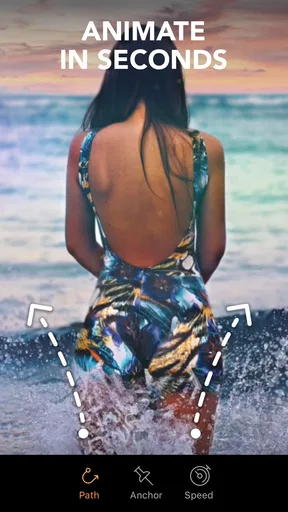
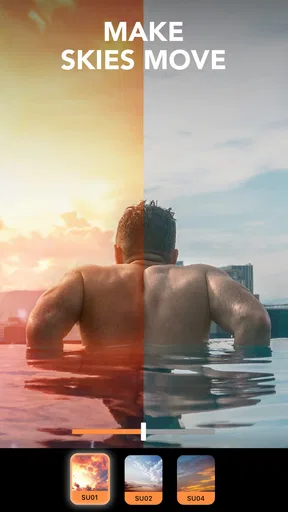
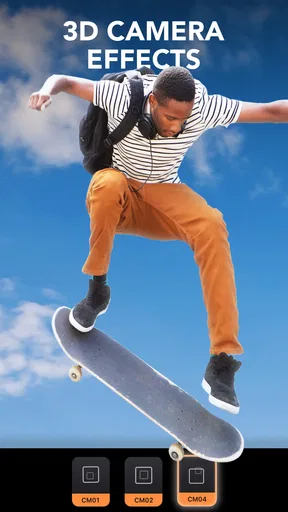
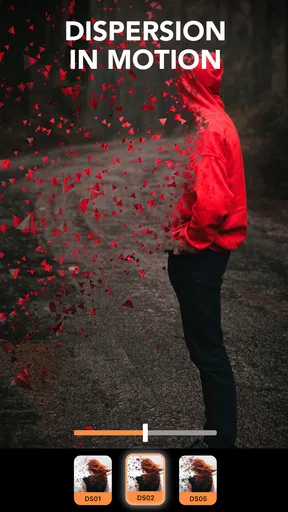
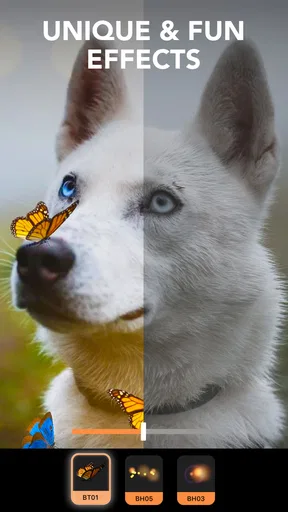
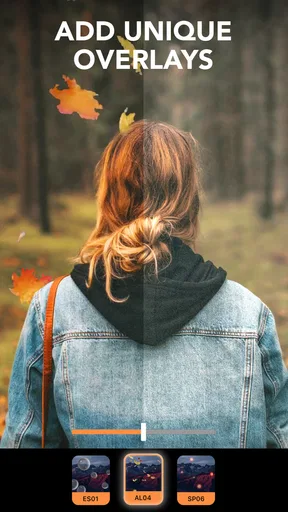

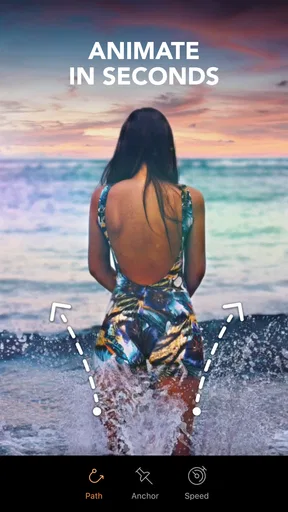
Our Review of Motionleap by Lightricks
 Analysis by Appyee
I’d choose a photo editor based on the result I actually want, not on how many tools it claims to have. If I’m correcting color, cropping a portrait, or making a batch of ordinary pictures look consistent, a conventional editor is usually the quicker fit. If I want one still image to feel like a tiny scene, though, Motionleap gives me a more distinctive route: I can guide movement in selected parts of a photo while keeping other areas visually steady.
That difference matters most when the source image has a clear subject and a natural element that could plausibly move. A landscape with clouds, water, smoke, or fabric offers an obvious starting point; a tightly packed group portrait usually does not. I would not expect animation to rescue a weak composition. It works best as a finishing choice for a photo that already has a reason to hold someone’s attention.
Think about the finished image before editing
Before I start, I decide where the movement should begin and where it should stop. A useful test is to imagine the image as a short loop: can the motion repeat without looking like the scene suddenly jumps? Water and drifting clouds are forgiving subjects, while a moving edge that crosses a person or building can make the effect feel artificial. Choosing a restrained direction and a small area often looks more convincing than animating everything at once.
I also think about where I plan to share the result. A moving image can catch attention in a social post, but it is less useful if I need a straightforward still photo for printing, a profile picture, or a document. Motionleap is best treated as a creative companion to a regular photo workflow, not as a replacement for every editing job.
Unleashing Your Inner Artist
Right off the bat, Motionleap caught my eye because it's not your typical photo editing app. Instead of just applying filters or cropping images, this app allows you to bring your photos to life by adding motion to them. How cool is that? Whether you want to animate the waves in your beach photo or make the clouds drift across the sky, this app has got you covered.
Easy to Use Interface
Now, I know what you're thinking: "This sounds complicated," but trust me, it's not. The interface is super user-friendly. When you open the app, you're greeted with a clean design that guides you through the process. There are helpful tutorials that pop up at just the right moments, so even if you're a complete newbie, you'll feel like a pro in no time.
Key Features
Let’s dive into some of the features that make this app stand out. First up, the animation tool is a game-changer. You simply select the area you want to animate, and then use arrows to direct the motion. It’s as simple as drawing a line. The app also offers a stabilization tool to keep other parts of your image still, making the movement look natural.
Another nifty feature is the sky replacement tool. Imagine being able to switch out a dull sky for a vibrant sunset with just a few taps. And yes, it’s as magical as it sounds. Motionleap also includes overlays like sparkles or rain, letting you add that extra bit of flair.
Making movement look intentional
For a more believable result, I treat the animation and stabilization controls as a pair rather than separate tricks. I first mark the part that should move, then check nearby boundaries: a shoreline, roofline, or the edge of a person can reveal unwanted movement immediately. If the effect spills across a sharp edge, I reduce the animated area and stabilize the object that should remain fixed. This small adjustment can matter more than adding another overlay.
A practical everyday example is a travel photo that is already good but feels static in a social feed. I might animate only the sea behind a stationary foreground, keep the people and shoreline still, and export a short moving version for a story. I would save the original image separately, because the animated export serves a different purpose and is not a substitute for the still I might later crop, print, or send to someone.
Sky replacement calls for a different kind of restraint. It can help when the sky is a large, uncomplicated part of the frame, but a dramatic replacement may clash with the lighting on buildings or faces. I use it when the sky is the point of the edit, not as a default fix for every outdoor photo. Overlays are similar: rain or sparkles can support a deliberate mood, but stacking effects quickly risks making an image feel like a template rather than my own photograph.
Where other photo editors make more sense
Motionleap sits in a narrower lane than an all-purpose photo editor. Traditional editing apps tend to make more sense when I need careful exposure and color adjustments, detailed retouching, or a consistent look across several pictures. A dedicated animation or video tool may be a better choice when I want to build a longer sequence, assemble multiple clips, or control a project beyond a single photo. I see Motionleap as the middle ground for turning one image into a short, shareable visual without starting a full video edit.
That focus is also its main trade-off. A still photo with no natural feature to animate may offer little benefit, and subtle movement takes judgment: too little can be hard to notice, while too much draws attention to the edit itself. If my priority is simply to make a photo brighter or remove a distraction, I would pick a conventional editor first. If I want a finished video with a sequence of shots, I would reach for a video editor instead.
Who will get the most from it
I think it suits casual creators, travelers, and social-media users who already take photos and want an occasional animated post without learning a full editing suite. It can also be useful for a small personal project, such as giving a landscape or product image a little movement for a presentation. It is less suitable for someone who only wants quick, uniform corrections across a camera roll, or for anyone who needs precise, professional motion graphics from a single mobile app.
One question worth answering before downloading is whether the app is free to try and what spending might follow. Motionleap is a free photography app from Lightricks Ltd., with in-app purchases ranging from $0.99 to $199.99 per item. I would begin with the free experience and only consider a purchase after checking whether the particular tools I want are available to me and whether I use them often enough to justify paying. The listed age rating is Everyone, so it is presented for a broad audience.
What to expect from sharing and switching
Once you’ve created your masterpiece, sharing is a breeze. The app lets you export your animated photos as videos or GIFs, making it easy to show off your work on social media. I found this particularly handy for Instagram stories where a bit of motion can really make your posts pop.
There is still a small workflow cost: an animated export is another version to organize, and the result may not fit every destination or use. I keep the original photo and the final motion version distinct so I can choose the right one later. If I decide to move to a different editor, I also expect to rebuild the effect there rather than assume that an animation setup will transfer as an editable project. That makes it sensible to test one representative photo before committing to a larger set of edits.
If you are wondering whether it replaces your usual editor, I would say no—and that is not a reason to dismiss it. I would keep a standard photo editor for everyday corrections and use Motionleap when a still image has an obvious opportunity for movement. For someone who only edits occasionally, that split may feel like an extra step; for someone who enjoys making social content, the specialized result can be worth it.
The app has a 4.0 average from around 343,000 ratings, with more than 50 million installs. Those figures suggest it has found a broad audience, but they do not tell me whether its particular animation style fits my own photos. I would judge it by testing a landscape with clear boundaries, then checking whether I can make a restrained loop that still looks like the scene I photographed.
Right off the bat, Motionleap by Lightricks, caught my eye because it's not your typical photo editing app. Instead of just applying filters or cropping images, this app allows you to bring your photos to life by adding motion to them. How cool is that? Whether you want to animate the waves in your beach photo or make the clouds drift across the sky, this app has got you covered.
Easy to Use Interface
Now, I know what you're thinking: "This sounds complicated," but trust me, it's not. The interface is super user-friendly. When you open the app, you're greeted with a clean design that guides you through the process. There are helpful tutorials that pop up at just the right moments, so even if you're a complete newbie, you'll feel like a pro in no time.
Key Features
Let’s dive into some of the features that make this app stand out. First up, the animation tool is a game-changer. You simply select the area you want to animate, and then use arrows to direct the motion. It’s as simple as drawing a line. The app also offers a stabilization tool to keep other parts of your image still, making the movement look natural.
Another nifty feature is the sky replacement tool. Imagine being able to switch out a dull sky for a vibrant sunset with just a few taps. And yes, it’s as magical as it sounds. Motionleap also includes overlays like sparkles or rain, letting you add that extra bit of flair.
Sharing Your Creations
Once you’ve created your masterpiece, sharing is a breeze. The app lets you export your animated photos as videos or GIFs, making it easy to show off your work on social media. I found this particularly handy for Instagram stories where a bit of motion can really make your posts pop.
Is It Worth It?
Now, let's talk about the pricing. Motionleap is free to download, but it does offer in-app purchases for additional features. If you're someone who loves experimenting with your photos, the subscription might be worth it. However, even the free version gives you plenty to play around with, so you can still create some amazing content without spending a dime.
Final Thoughts
All in all, Motionleap by Lightricks is a fantastic app for anyone looking to add a creative twist to their photos. It’s easy to use, packed with features, and the results are stunning. Whether you’re an amateur photographer or a seasoned pro, this app offers something for everyone. So go ahead, give it a try and let your imagination run wild!
Verdict
Strengths of Motionleap by Lightricks
- Intuitive user interface for easy navigation.
- Wide range of animation effects available.
- High-quality export options for social media.
- Regular updates with new features.
- Offline editing capabilities.
Limitations of Motionleap by Lightricks
- Some features locked behind a paywall.
- Limited free version functionality.
- Occasional app crashes reported.
- No support for 4K video export.
- Requires significant device storage space.
Other Releases by Lightricks Ltd.
View All
Facetune: Hair, Photo Editor
Photography4.4

Lightleap by Lightricks
Photography4.0

Videoleap: AI Video Editor
Video Players & Editors4.5

Boosted Ad Maker by Lightricks
Video Players & Editors4.3
Similar Picks in This Category
View All
Google Photos
Google LLC4.4

Gallery
Google LLC4.2

Picsart AI Photo Editor, Video
PicsArt, Inc.3.9

B612 AI Photo&Video Editor
SNOW Corporation4.1

BeautyPlus-Selfie Photo Editor
PIXOCIAL TECHNOLOGY (SINGAPORE) PTE. LTD.4.5

Remini - AI Photo Enhancer
Bending Spoons4.1
Frequently Asked Questions
What is Motionleap by Lightricks used for?
Motionleap by Lightricks is a creative app designed for animating photos and transforming static images into dynamic, eye-catching visuals. With its intuitive tools, users can add motion effects, overlays, and other enhancements to their photos, making them look more engaging and professional. It's a great tool for social media enthusiasts and content creators.
Is Motionleap free to use, or does it require a subscription?
Motionleap offers a free version with basic features, allowing users to explore the app's core functionalities. However, to unlock premium features such as advanced effects, overlays, and high-resolution exports, a subscription to Motionleap Pro is required. This subscription provides full access to the app's extensive creative tools.
Can Motionleap be used on both Android and iOS devices?
Yes, Motionleap is available for both Android and iOS platforms. Users can download the app from the Google Play Store for Android devices or the Apple App Store for iOS devices. This cross-platform availability ensures that a wide range of users can enjoy its creative features regardless of their device type.
What types of animation effects can I create with Motionleap?
Motionleap offers a variety of animation effects, including the ability to animate skies, create flowing water, and add dynamic moving elements to photos. Users can also apply overlays and filters to enhance the overall aesthetic. These features allow for the creation of visually stunning images that capture the viewer's attention.
Is Motionleap beginner-friendly, or do I need prior experience in photo editing?
Motionleap is designed to be user-friendly and accessible to beginners. It features an intuitive interface with easy-to-use tools, making it possible for users with no prior experience in photo editing to create impressive animations. The app also provides tutorials and guides to help new users get started quickly.
